
First Impressions and Early Concerns
When I first heard about the Rabbit R1, I was skeptical. I had canceled my initial order after seeing a flood of negative reviews from early adopters. Complaints about missing features, poor support, and short battery life made it look like another overhyped gadget. Fast forward to 2025, the device has received constant updates, and curiosity pulled me back in. This time, I decided to give it a fair chance.
What the Rabbit R1 Does Well
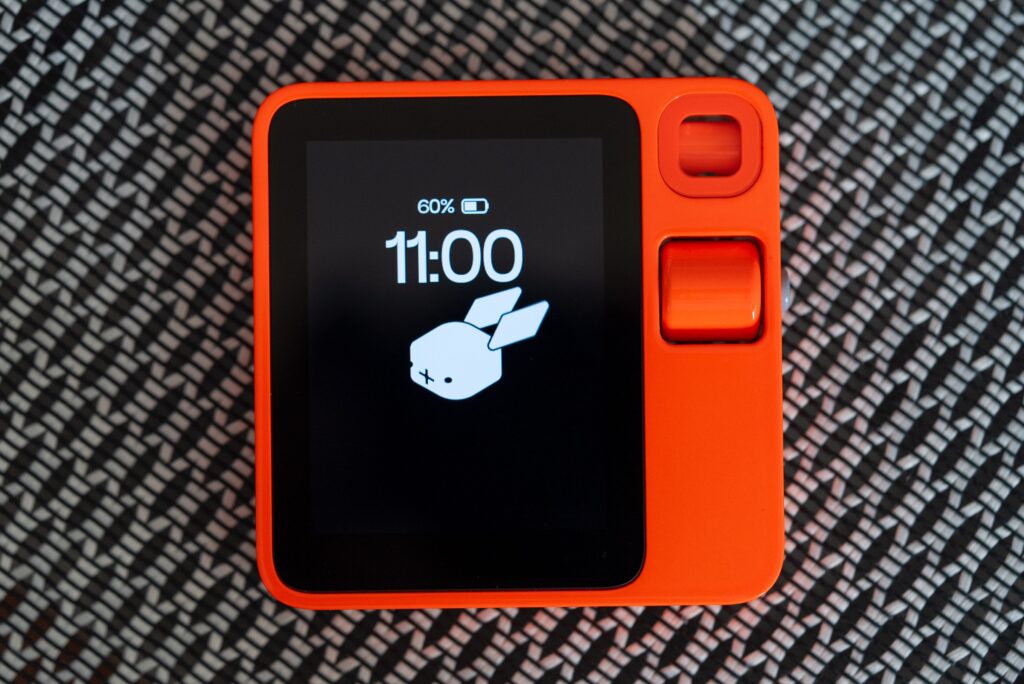
The Rabbit R1 works as a dedicated AI device that you can carry anywhere. Its standout feature for me is the ability to point the camera at an object and instantly receive detailed information. I once took a picture of a video game character, and the R1 recognized not only the game but also the character and its abilities. That blew me away.
Teach Mode has also proven useful. I trained mine to fetch specific information from websites, such as the latest social media posts from certain accounts. It saves me from opening multiple apps on my phone. The push-to-talk button makes interactions feel natural, like using a walkie-talkie with AI inside.
Another highlight is note-taking. I can ask the R1 to record information in a structured format, and retrieving those notes later is smooth through the Rabbithole web portal.
Where the Rabbit R1 Falls Short
The Rabbit R1 is not perfect, and depending on your expectations, it can be frustrating. Battery life has improved since launch but still feels small for heavy users. If you plan to rely on it throughout the day, you’ll need to charge often or carry a power bank.
The device depends on either Wi-Fi, a hotspot, or a dedicated SIM card. That means an extra cost of around $10–30 per month depending on your carrier.
The camera quality is average and lacks zoom. It works fine for object recognition but falls behind compared to modern smartphone cameras.
The translation feature is unreliable. Without showing the captured input on-screen, it’s difficult to know if it has heard correctly. I tested it with a few familiar languages, and the mistakes could easily cause embarrassment in real-world conversations.
Some features like LAM Playground still feel unfinished. I tried launching it from my computer, but it often got stuck loading. And support tickets sent to Rabbit’s team did not receive a timely response.
Daily Use and Reliability
When used as a lightweight AI assistant, the Rabbit R1 fits nicely into my workflow. I rely on it for quick Q&A, scanning objects, note-taking, and offloading AI tasks from my phone. It feels refreshing to keep my main phone free from constant AI prompts and experiments.
Performance depends heavily on internet connection. When my Wi-Fi signal drops, the device slows down. I once had to log in via computer to solve captcha issues before continuing in LAM Mode, which reminded me that it’s still an evolving product.
Despite these hiccups, it handles most tasks reliably once you understand its strengths and limits.
Is the Rabbit R1 Worth It?
At $199, the Rabbit R1 is not a must-have for everyone. If you already use tools like Google Assistant, ChatGPT, or Google Lens on your phone, you won’t gain much beyond the novelty of holding a dedicated AI gadget. But if you enjoy experimenting with new tech, teaching AI tasks, and having a portable AI companion that doesn’t drain your main phone, then the R1 is an intriguing option.
My Personal Takeaway
I went in expecting the Rabbit R1 to disappoint, but it surprised me in several ways. The ability to recognize objects, take structured notes, and fetch tailored online information is genuinely useful. The device still struggles with battery life, translation accuracy, and unfinished features, yet it has improved drastically since launch.
For me, the Rabbit R1 has become a handy sidekick that handles AI-related tasks so my phone doesn’t have to. It’s not for everyone, but for tech enthusiasts like me who don’t mind some trial and error, it feels like a step toward the future of portable AI.
Views: 1
Suggested Topics;
👉 Lazy Ways Moms Can Make Money
👉 Best Ways to Make Money Online as a Teenager
👉 Is NavyReview.com Free $500 Old Navy Gift Card SCAM or Legit?
👉 Is STDEI GLP-1 Legit or Total Scam?
👉 Aldana vs. GameStop Lawsuit Settlement Legit or Scam?
👉 Is the CostReviews.com Free $750 Costco Gift Card Scam or legit?
👉 Is Qinux Briza AC Legit or a Waste of Money? Full Review
👉 Viflame.com Review – FREE 0.31 BTC Legit or Scam?
👉 BodyAccel Whitening Toothpaste Review
👉 The Automatic Cash Machine Review
👉 My Honest Review of the Sakerplus Twister
👉 Lotto SMS Review
👉 Inside the FxAlexG Only Signal by Alex Gonzalez
👉 How to Get Delta Executor Roblox
👉 How to Import and Export EHI Config Files in HTTP Injector
👉 How to Create Unlimited HTTP Custom Config Files for Free Internet
👉 How to Use HA Tunnel Plus with SNI Hosts for Free Internet
👉 Tim Allen Push Button Reviews Legit or Scam
👉 Qinux WaterBlitz Review
👉 Is Grab Dumb Money Legit or Scam?
👉 How to Receive Money from PayPal in Uganda Without Creating a PayPal Account
👉 Websites that pay $100 a day
Views: 1