
First Impressions
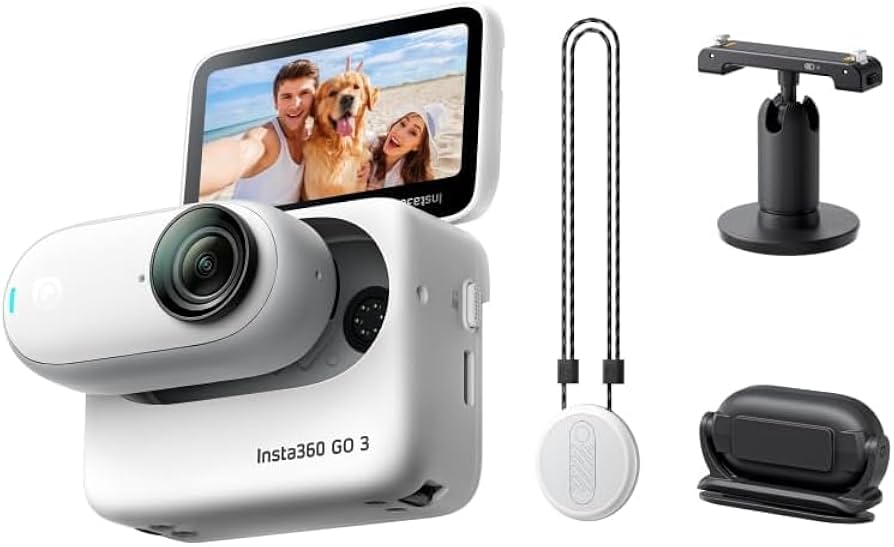
When I first got the Insta360 GO 3, I was excited about how small and lightweight it is. Setting it up with my iPad was easy, and the camera delivered impressive photos and videos right out of the box. For the price, it felt like good value. The magnetic mounts and flexibility to wear or attach it anywhere gave me a lot of creative options that other action cameras don’t provide.
The Good: What I Liked
The video quality in bright light is excellent. It really does capture sharp 4K footage that rivals some bigger cameras. Mounting it on my hat, wearing it around my neck, or clipping it in tight spots made it fun to experiment with.
The addition of the flip screen was a big step up from the Insta360 GO 2, since I didn’t need to connect to my phone every time I wanted to frame a shot. The Action Pod extended battery life up to about an hour and a half, which was enough for most of my needs. I also liked that I could screw ND filters directly onto the lens, which gave me more control in outdoor shooting.
The Downsides and Challenges
The small size comes with limitations. Shooting indoors or in low light wasn’t great—footage became noisy and soft, making it hard to use in the evenings or inside a car. Another issue was overheating. Recording continuously for 30 minutes drained the battery and made the camera hot, sometimes forcing it to shut down. This wasn’t unique to my unit—others mentioned similar experiences, especially in warm environments.
Connecting the camera to my phone was also tricky. At first, it refused to connect to my iPhone 14 Pro Max. I went through multiple troubleshooting steps, called support, and eventually had to update the firmware using USB. Once I figured it out, the camera worked fine, but the setup was frustrating for what should have been a plug-and-play device.
Customer Support Experience
When I reached out to Insta360’s support, the initial guidance wasn’t very helpful. They redirected me to email and live chat for firmware updates. It took effort to sort things out on my own. That said, once I fixed my mistake, the camera worked as advertised. The experience reminded me that this isn’t the most beginner-friendly device—you need patience to get through setup and quirks.
Real-World Use and Limitations
In daily use, I found that filming short clips worked better than pushing long continuous recording. The battery out of the pod only lasts about 30 minutes, which is fine if you’re capturing moments here and there, but not ideal for events. If you’re planning to use it heavily, keeping it in the Action Pod or plugging it into a power bank is almost necessary.
Overheating did happen occasionally, especially when filming outdoors in the summer, but the camera shuts itself down before any damage occurs. I started thinking about whether to wait for the rumored Insta360 GO Ultra, which might bring better battery life, a bigger sensor, and 4K at 60 fps.
Final Thoughts on the Insta360 GO 3
The Insta360 GO 3 is a fun, pocket-sized action camera with huge creative potential. It shines in good lighting, delivers sharp video, and offers mounting options that make it stand out from competitors. The flip screen and extended battery with the Action Pod are strong upgrades over the GO 2.
Still, there are real limitations—overheating, short recording times outside the pod, poor low-light performance, and a learning curve with setup. If you want a tiny, wearable camera for quick, creative shots in good lighting, it’s a great fit. If you need long recordings, reliable indoor shooting, or don’t want to deal with troubleshooting, it may leave you frustrated.
For me, it was a mix of highs and lows. When it works, it’s an incredible tool. But the quirks reminded me this is still a niche device best suited for short clips, outdoor adventures, and creative mounting rather than all-purpose video recording.
Views: 0