
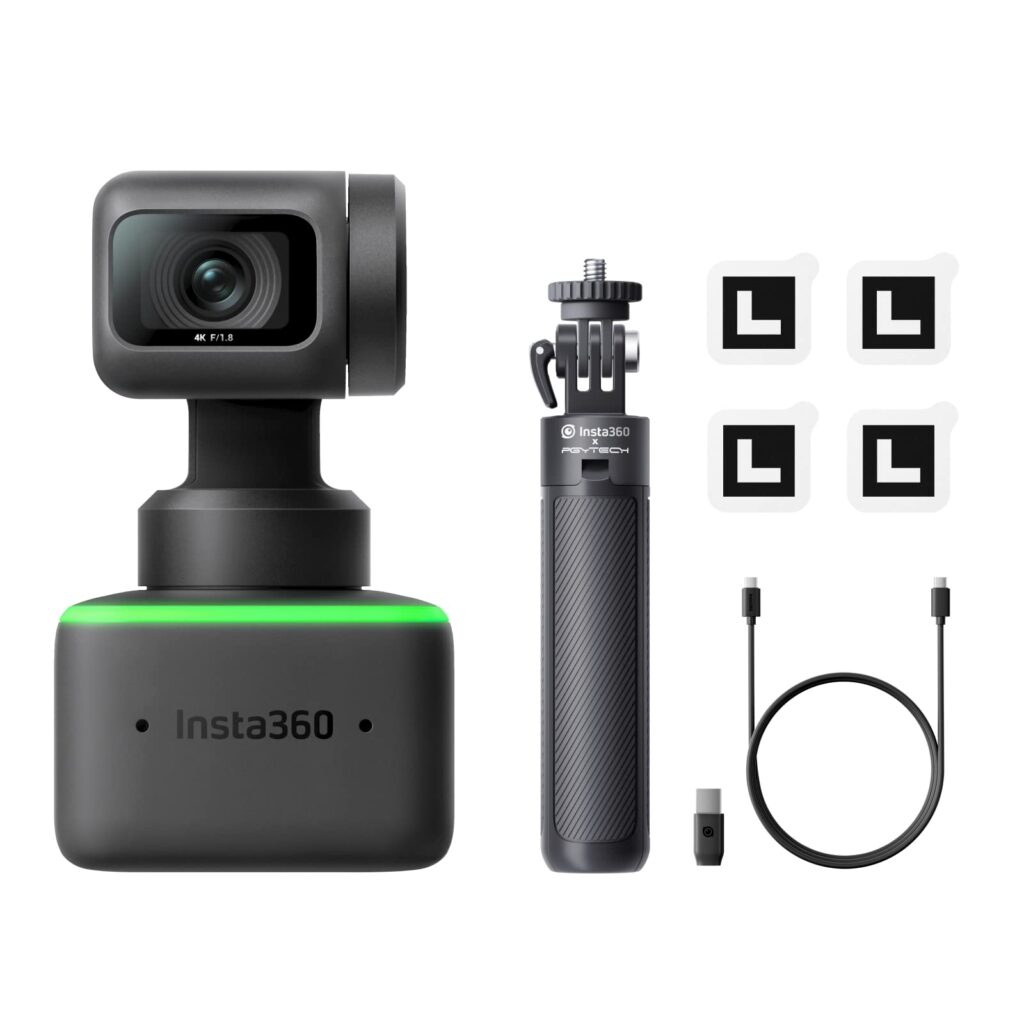
I’ve been on a years-long quest to replace my bulky DSLR and cam link setup with a simple webcam that doesn’t feel like a massive downgrade. After just a week with the Insta360 Link, I’m not just satisfied—I’m completely blown away. This isn’t just a webcam; it’s the most impressive piece of tech I’ve bought in years. Here’s my personal experience using it for streaming, calls, and content creation.
First Impressions & Build Quality
The moment you unbox the Insta360 Link, you know you’re holding something premium. The packaging is meticulous, and the build quality feels exceptional. I was shocked by how small and lightweight it is—perfect for travel. My initial worry was that its tiny size and the delicate 3-axis gimbal might feel fragile, especially when powered off. But the second you plug it in, those motors lock with serious torque. It even fought me playfully when I tried to adjust the lens cover while it was tracking my face.
Setting It Up Was Shockingly Simple
I had the camera out of the box, plugged in via the included USB-C cable, and working within seconds. The drivers installed automatically on my Windows PC. The included cable is a perfect length for a desktop setup, but if you need to mount it further away, a longer USB cable is an easy fix. The desktop app is necessary to unlock all the features, and while it can be a bit slow to register clicks, it’s straightforward once you get the hang of it.
The Image Quality Rivals Professional Gear
This is the core of why I love this camera. The video quality is stunning. In a well-lit room using my Elgato Key Light, the image is sharp, the colors are vibrant, and the HDR handles challenging lighting brilliantly. It genuinely rivals the video from my DSLR setup. In a darker environment, I did have to manually bump up the brightness in the app by a few notches, but the result was still fantastic. It makes every other built-in laptop webcam look like a blurry mess.
The AI Tracking Feels Like Magic
This is the feature that will make your jaw drop. The auto-tracking is ridiculously good. You can choose between a close-up, mid-shot, or full-body frame, and the camera will smoothly follow you as you move around the room. I tested it by getting up and walking around, and it kept me perfectly in frame. You can toggle tracking on and off with a simple tap on the camera’s base. The tracking speed is adjustable—I found “Normal” and “Slow” worked best to avoid making the movement feel jerky or nauseating for viewers.
Gesture Controls: A Party Trick You’ll Actually Use
The hand gesture controls sound like a gimmick, but they are incredibly functional.
-
Zoom In/Out: Form an “L” with your left hand and raise or lower it to zoom. This worked better when I was a few feet away rather than right up close.
-
Whiteboard Mode: Make a “V” sign, and the camera will automatically zoom and focus on a whiteboard or object in front of you—a huge bonus for teachers or anyone who needs to show details.
-
Desk View: A dedicated mode angles the camera down to show your keyboard, a project you’re working on, or something you’re writing.
Performance for Live Streaming
As a streamer, this was my ultimate test. In OBS, the Insta360 Link performed flawlessly, providing a buttery-smooth, high-quality second camera angle. I did experience some jumpy video in the software VMix, but this appears to be a compatibility issue with that specific program, as other webcams have had the same problem. In Zoom, Skype, and OBS, it was perfect.
One Minor Consideration
My only tiny note is that the fold-out stand that hooks over your monitor could have a slightly grippier surface or be a bit longer for ultimate security on very thick monitors. However, this hasn’t been a real issue for me; it’s just an observation on how a great product could be marginally improved.
Who Is This Camera For?
If you are a streamer, a remote worker who takes video calls seriously, a teacher, or a content creator, the Insta360 Link is a game-changer. It eliminates the need for complicated multi-camera setups for most people. The combination of pro-level image quality and intelligent, easy-to-use AI features is unmatched.
After a week of using it, I can confidently say the Insta360 Link has completely transformed my setup. It’s a premium product that delivers on every single promise. If you’re on the fence, just buy it. You won’t regret it.
Views: 35
Suggested Topics;
👉 Lazy Ways Moms Can Make Money
👉 Best Ways to Make Money Online as a Teenager
👉 Is NavyReview.com Free $500 Old Navy Gift Card SCAM or Legit?
👉 Is STDEI GLP-1 Legit or Total Scam?
👉 Aldana vs. GameStop Lawsuit Settlement Legit or Scam?
👉 Is the CostReviews.com Free $750 Costco Gift Card Scam or legit?
👉 Is Qinux Briza AC Legit or a Waste of Money? Full Review
👉 Viflame.com Review – FREE 0.31 BTC Legit or Scam?
👉 BodyAccel Whitening Toothpaste Review
👉 The Automatic Cash Machine Review
👉 My Honest Review of the Sakerplus Twister
👉 Lotto SMS Review
👉 Inside the FxAlexG Only Signal by Alex Gonzalez
👉 How to Get Delta Executor Roblox
👉 How to Import and Export EHI Config Files in HTTP Injector
👉 How to Create Unlimited HTTP Custom Config Files for Free Internet
👉 How to Use HA Tunnel Plus with SNI Hosts for Free Internet
👉 Tim Allen Push Button Reviews Legit or Scam
👉 Qinux WaterBlitz Review
👉 Is Grab Dumb Money Legit or Scam?
👉 How to Receive Money from PayPal in Uganda Without Creating a PayPal Account
👉 Websites that pay $100 a day
Views: 35