- DFCU Online Banking provides the flexibility to access and manage your account 24/7 from anywhere in the world. You can learn more and register for DFCU Online Banking here: DFCU Online Banking.
Step-by-Step Guide to Open and Verify a Virtual PayPal Account in Uganda Using a DFCU ATM Card
1. Create a Virtual PayPal Account To open a virtual PayPal account in Uganda, you need to follow these steps to ensure that you create an account that allows you to receive money and make international transactions:- Visit PayPal’s Website: Go to PayPal and click on “Sign Up.”
- Choose the ‘Business’ Account Option: A Business PayPal account will give you access to both the ‘Pay’ and ‘Get Paid’ features.
- Enter Your Email Address: Use an active email that you will use to access your PayPal account.
- Complete the Registration Form: Fill out your personal and business details accurately. Ensure that the country is set to Uganda.
- Phone Number Verification: Enter your Ugandan phone number and verify it through a code that will be sent to you.
- Log in to Your PayPal Account: Use your email and password to access your PayPal dashboard.
- Go to the ‘Wallet’ Section: In the upper toolbar, find the “Wallet” option and click on it.
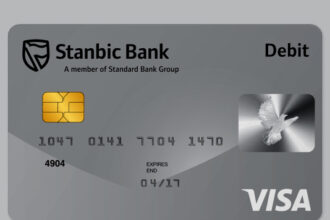
- Link a New Card: Under the “Link a Card” option, enter your DFCU ATM card details, including the card number, expiration date, and security code (CVV) from the back of your card.
- Confirm Billing Address: Ensure that the billing address matches the one you provided to DFCU Bank.
- Check Your Bank Statement: Log into your DFCU Online Banking account or use your mobile banking app to check your recent transactions. Look for the small charge from PayPal, which will include a 4-digit code in the transaction description.
- Enter the Code into PayPal: Return to PayPal and input the 4-digit code in the appropriate field under the card verification section.
- Go to PayPal Settings: In the settings menu, ensure that your account is set up as a business account.
- Receive International Payments: After verification, you will be able to receive payments from abroad and withdraw them using your linked DFCU account.
- Go to the ‘Wallet’ Section in PayPal: Choose “Withdraw Funds.”
- Select Your Linked DFCU ATM Card: Enter the amount you wish to withdraw and confirm.
- Receive Funds in Your DFCU Account: Depending on the withdrawal process, it may take 1-2 business days for the funds to reflect in your DFCU bank account.
Opening and verifying a virtual PayPal account in Uganda using a DFCU ATM card provides a convenient way to send and receive international payments. With DFCU’s online banking services, managing your finances becomes seamless, allowing you to withdraw PayPal funds directly to your local bank account. By following the steps outlined above, you can unlock the full potential of your virtual PayPal account, ensuring that it’s linked securely with your DFCU card for global transactions.