Contents
- I installed Instabridge WiFi Hotspot Map App to connect to random WIFIs around me, did it work?, lets find out
- What is Instabridge WiFi Hotspot Map?
- How to Use Instabridge: WiFi Hotspot Map App
- Testing the WiFi Feature – Fake or Real?
- More Promotions Than WiFi Access
- Final Verdict: Is Instabridge WiFi Hotspot Map a Scam or Legit?
- Final Rating: ⭐⭐ (2/5) – Not Worth It
I installed Instabridge WiFi Hotspot Map App to connect to random WIFIs around me, did it work?, lets find out
 Does Instabridge app Offer legitimate Wi-Fi passwords shared by users or its a lie?. With so many apps promising free internet access, many users are drawn to Instabridge WiFi Hotspot Map in hopes of easily connecting to public WiFi networks. But does it really work, or is it just another app filled with ads and false promises? I decided to test the app myself and share my honest experience.
What is Instabridge WiFi Hotspot Map?
Instabridge is an app that claims to provide users with a map of free WiFi hotspots around them. It suggests that you can connect to available WiFi networks without having to ask for passwords. The app markets itself as a crowdsourced database of WiFi passwords, helping users access the internet effortlessly. According to its Play Store description, Instabridge: ✔ Offers a WiFi map with passwords shared by users. ✔ Helps users automatically connect to free hotspots. ✔ Provides a built-in VPN for secure browsing. ✔ Claims to save you from asking for WiFi access everywhere you go. But does it really work as advertised? Let’s dive into my experience using it.How to Use Instabridge: WiFi Hotspot Map App
The setup process is simple, but I immediately noticed some red flags:Installation Process & Permissions
After installing the app, the first thing I saw was a prompt asking me to set Instabridge as my default launcher. This request kept coming back throughout my time using the app, which was suspicious and unnecessary for a WiFi-related app. During installation, Instabridge requested access to my contacts, files, and photos. I refused because I couldn’t understand why a WiFi app would need access to my personal data. If you value your privacy, I strongly recommend denying these permissions as well.Opening the App – A Flood of Ads & VPN Promotions
Once I opened Instabridge, the first thing I saw was an advertisement for their “Free VPN” service. The app seemed more focused on promoting its VPN and browser rather than helping me connect to WiFi. The main menu had multiple options, including: ✔ Search ✔ WiFi ✔ VPN ✔ Internet ✔ Games Since my main goal was to test the WiFi feature, I clicked on WiFi—but before I could proceed, another ad played. While ads are understandable in free apps, the sheer number of ads was excessive.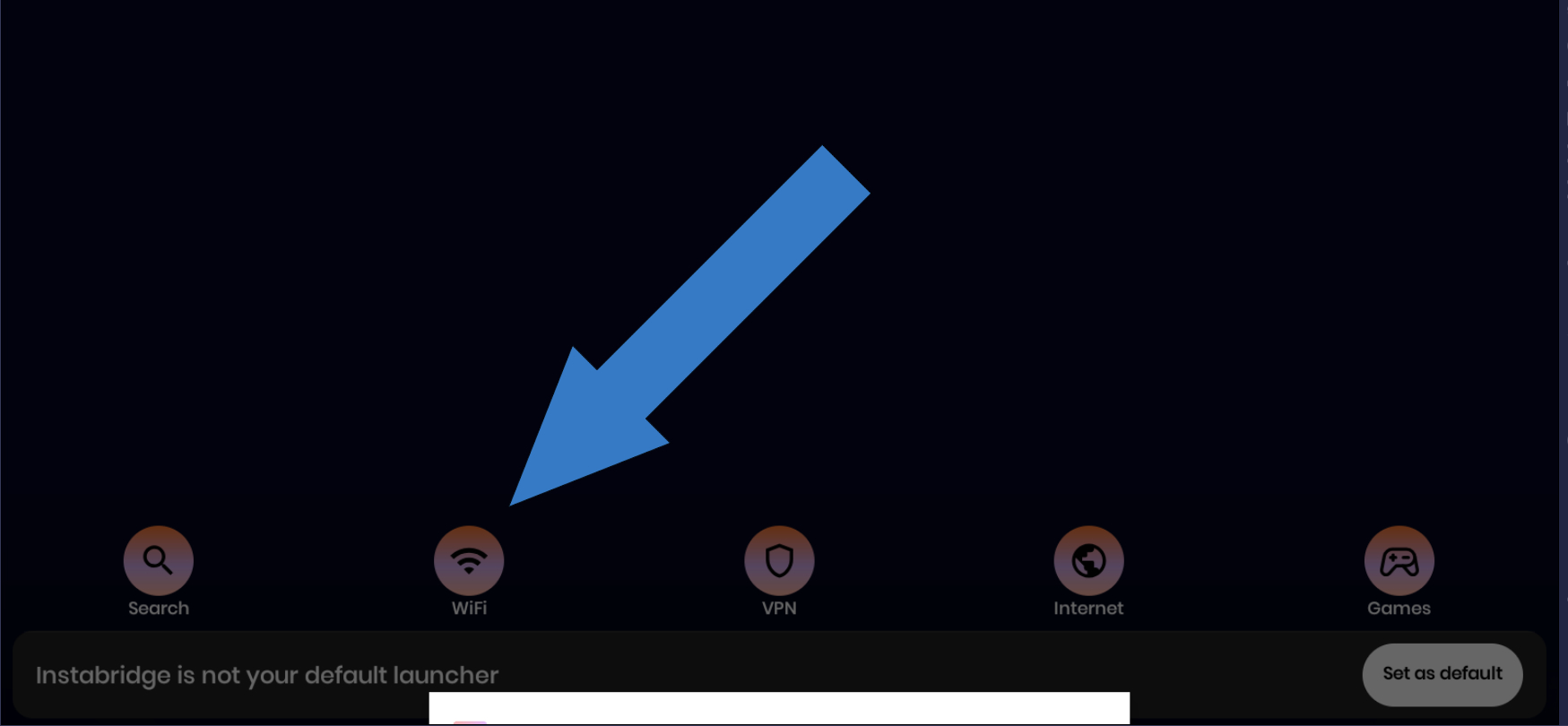 Testing the WiFi Feature – Fake or Real?
Now, here’s where things got interesting (and disappointing).
1️⃣ Fake WiFi Network List?
When I clicked on “WiFi,” the app showed me a list of available WiFi networks, but something seemed off. Below is a pic of list of WiFi spots i saw which where not in my area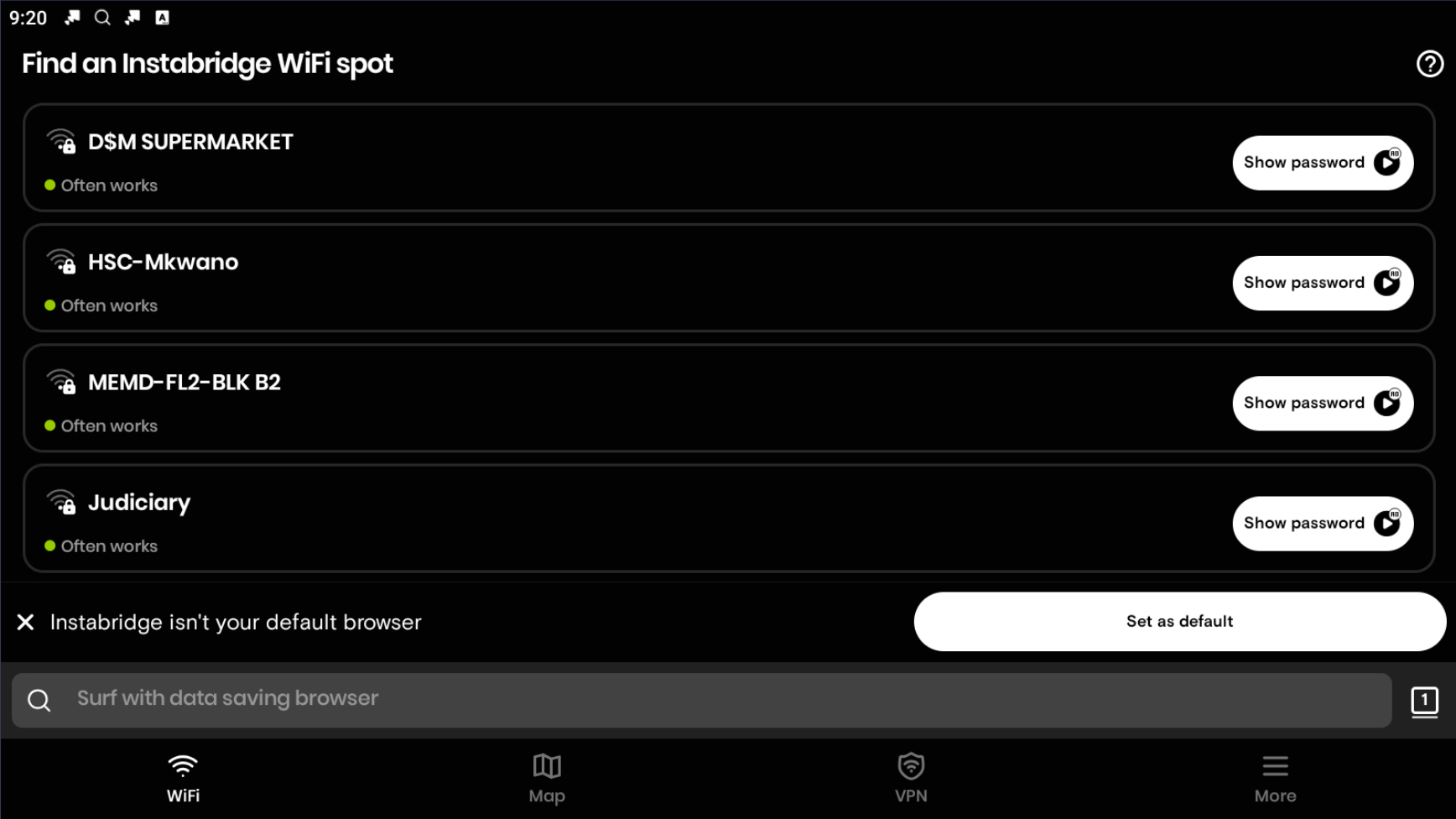 The WiFi names displayed in Instabridge were different from the actual networks my phone and laptop detected.
I checked my computer’s WiFi list and compared it to Instabridge’s list—they did not match. This made me suspect that the app was showing pre-listed networks, rather than scanning for actual available WiFi near me.
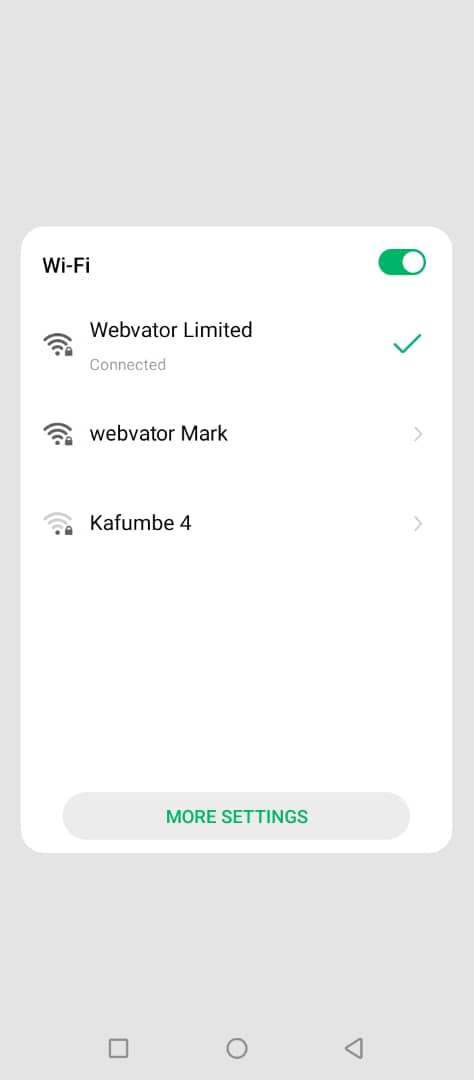
My phone and Computer show these networks in pic below;
The WiFi names displayed in Instabridge were different from the actual networks my phone and laptop detected.
I checked my computer’s WiFi list and compared it to Instabridge’s list—they did not match. This made me suspect that the app was showing pre-listed networks, rather than scanning for actual available WiFi near me.
My phone and Computer show these networks in pic below;