


Contents
Apple mini pod vs homepod
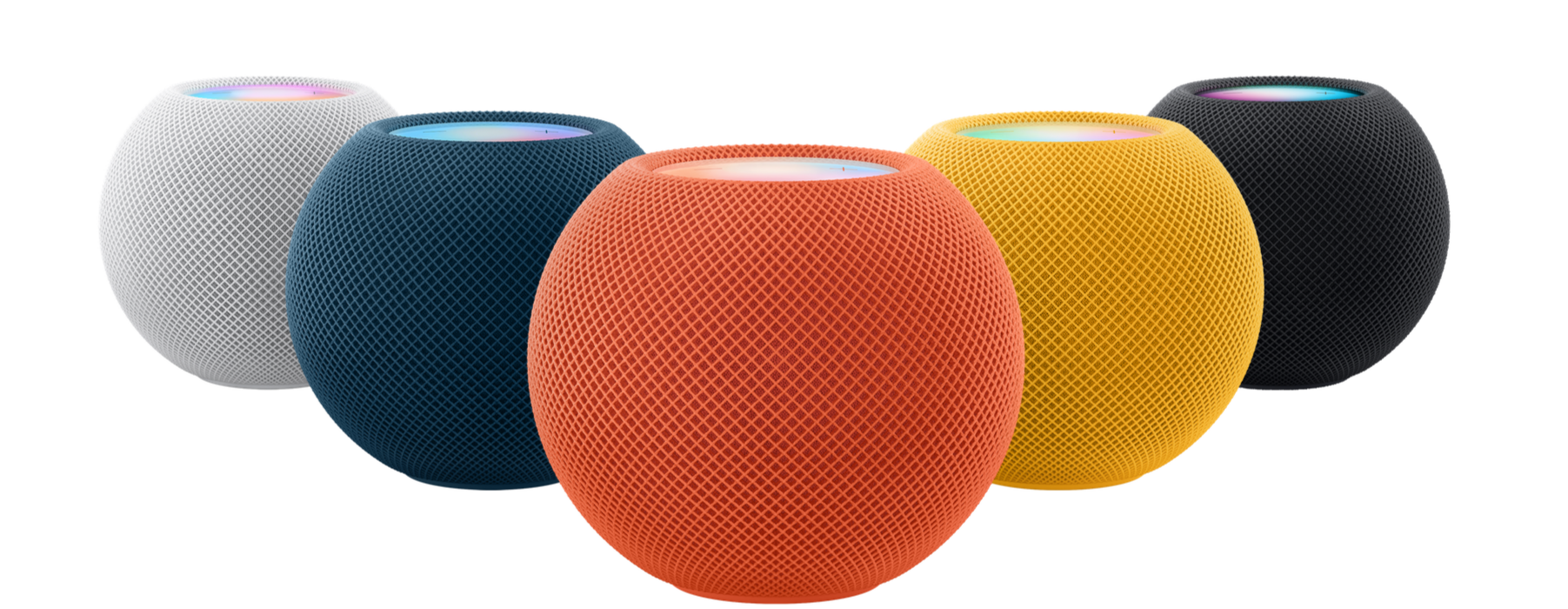
Apple’s HomePod lineup includes the full-sized HomePod (2nd generation) and the HomePod Mini—but which one is the better buy? If you’re debating between the two, this guide will break down their features, differences, and which one makes the most sense for your needs. Spoiler alert: most people should skip the full-sized HomePod—but we’ll explain why.
Pricing & Design: Big vs. Small
- HomePod (2nd Gen): $299 (Available in Midnight and White)
- HomePod Mini: $99 (Available in Space Gray, White, Orange, Yellow, and Blue)
Key Features: What Can Both HomePods Do?
Both the HomePod and HomePod Mini share many of the same Apple ecosystem integrations and smart home features:- Siri Voice Control for hands-free commands
- Multi-room audio (play the same song across multiple speakers)
- Intercom functionality (send voice messages to other Apple devices in the house)
- Temperature & humidity sensors (for automation like turning on a fan when it gets too hot)
- Matter & Thread support (ensuring compatibility with smart home devices)
- Sound recognition for smoke & carbon monoxide alarms (sends alerts to your iPhone)
- Apple Music, Podcasts, and AirPlay 2 support
The Big Differences: Why the Full-Size HomePod Stands Out
1. Sound Quality: Night and Day Difference
The biggest reason to opt for the full-sized HomePod is its superior sound quality. It features:- 5 tweeters and 1 large woofer for deep bass and crisp highs.
- Computational audio with room sensing to adjust sound based on placement.
- Beamforming technology to create an immersive sound experience.
2. Apple TV Integration & Home Theater Sound
Another big advantage of the full-sized HomePod is Dolby Atmos and spatial audio support.- You can stereo pair two HomePods and use them as a sound system for Apple TV 4K.
- The eARC functionality on the Apple TV 4K allows HomePods to serve as the main TV speakers, delivering theater-quality sound.
- The Mini does not support surround sound or Dolby Atmos.
3. Ultra-Wideband (U1) Chip for Handoff
Both HomePods let you transfer music from your iPhone to the speaker just by bringing your phone close—but the full-sized HomePod uses the U1 chip for better precision and responsiveness.Which One Should You Buy?
Buy the HomePod (2nd Gen) If…
✅ You want the best sound quality for music and movies. ✅ You plan to pair two with an Apple TV for home theater. ✅ You appreciate spatial audio and Dolby Atmos.Buy the HomePod Mini If…
✅ You want an affordable smart speaker with Apple integration. ✅ You don’t need high-end audio quality. ✅ You want multiple speakers throughout the house without breaking the bank. ✅ You appreciate smart home features like emergency sound detection.Final Verdict: Most People Should Get the HomePod Mini
While the HomePod (2nd Gen) is great for audiophiles and home theater setups, for most users, the HomePod Mini is the better value. Instead of spending $299 on one speaker, buy three HomePod Minis for the same price and enjoy smart home features throughout your house. If you’re looking for a budget-friendly way to enter the Apple smart home ecosystem, the HomePod Mini is the way to go. However, if premium sound quality is your priority, the full-sized HomePod is worth considering.Here are some Frequently Asked Questions concerning HomePod and HomePod Mini
HomePod & Smart Home Integration
1. Can the HomePod (2nd Gen) act as a hub for the Aqara P2 door sensor? Yes, the HomePod (2nd Gen) can act as a hub for the Aqara P2 door sensor when using Apple Home. You will receive open/closed door alerts in the Home app, but some advanced features (e.g., tamper detection and alarms) require the Aqara M3 hub and the Aqara app. 2. Will the Aqara P2 door sensor have an event log in Apple Home? Apple Home will show door open/close alerts, but it lacks a full event log. A detailed history and additional automation features will be available only when paired with the upcoming Aqara M3 hub in the Aqara app. 3. Does the HomePod connect directly to smart home accessories? No, HomePods serve as controllers in Apple Home. Most smart home accessories require a dedicated hub (like an Aqara hub) to work with HomeKit. However, Matter-compatible devices, like the Aqara P2, can connect directly.HomePod & Device Compatibility
4. Can the HomePod connect to Android devices? No, HomePods are designed to work exclusively with Apple devices like iPhones, iPads, iPods, and Apple TVs. Android devices cannot directly pair with a HomePod.HomePod Features & Setup
5. How do I set up Intercom on my HomePod? To enable Intercom:- Open the Home app
- Select your HomePod
- Go to Settings > Intercom
- Make sure “When I’m Home” or “Anywhere” is selected







